 Posted by
 Pixelmator Pro Overview:
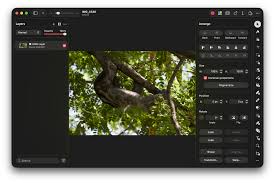
Pixelmator Pro is a modern, advanced photo editing software exclusively for macOS users, offering professional editing tools, AI-powered enhancements, graphic design features, and optimized performance for both beginners and professionals. You may also like this Apple Creator Studio
Key Features:
- Advanced AI Tools:
- Automatic background removal
- AI-powered image enhancement
- Smart object selection
- Machine learning upscaling
- Noise reduction
- AI color correction
- Professional Editing Tools:
- Layer-based editing
- RAW photo processing
- HDR support
- Curves and Levels adjustments
- Advanced retouching
- Non-destructive workflow
- Graphic Design Features:
- Vector design and typography customization
- Ready-made templates
- Shape and drawing tools
- PSD compatibility and mockup editing
- Apple Ecosystem Integration:
- Optimized for Apple Silicon (M1, M2, M3 chips)
- Supports macOS Shortcuts
- iCloud synchronization
- Apple Pencil compatibility
- Metal GPU acceleration
- Export & Sharing Formats: PNG, JPEG, TIFF, PSD, PDF, SVG, WebP
Pros and Cons:
- Advantages:
- Extremely fast on Mac devices
- Easy-to-use interface
- Powerful AI editing features
- Lightweight and optimized
- Great Photoshop alternative
- Excellent value for creators
- Disadvantages:
- Available only on macOS
- Limited third-party plugins
- No Windows support
- Basic collaboration features
- Some complex PSD files may differ
- Missing advanced enterprise tools
FAQs:
- Suitable for beginners? Yes, beginner-friendly with advanced tools.
- Supports Photoshop files? Yes, supports PSD import/export.
- Works on M-series Macs? Yes, fully optimized for Apple Silicon.
- Is it free? No, it is premium software with paid licenses.
- Available on Windows? No, macOS only.
Installation:
- From App Store: Search, purchase, install, and launch.
- Manual: Download DMG, open installer, move to Applications, launch.
Compatibility:
- Supported Devices:
- MacBook Air
- MacBook Pro
- iMac
- Mac Studio
- Mac mini
- Supported macOS Versions:
- macOS Monterey or newer
- File Format Support:
- PSD
- PNG
- JPEG
- TIFF
- SVG
- RAW camera files
Performance Review:
Pixelmator Pro is highly optimized for modern Macs with features such as Metal GPU acceleration and machine learning, resulting in:
- Smooth editing performance
- Fast export speeds
- Responsive user interface
- Low memory consumption
- Efficient handling of RAW images
It performs especially well on Apple Silicon devices, maintaining fluidity even with large or complex files.
Conclusion:
Pixelmator Pro is a leading photo editing software for macOS users in 2026, blending professional-grade editing tools, AI enhancements, and optimized performance within a clean, intuitive interface. For creators seeking a fast, modern, and powerful alternative to Photoshop tailored for Mac, Pixelmator Pro is an excellent choice for photography, graphic design, and digital content creation.
One comment