 Posted by
 Transmission is a lightweight and open-source BitTorrent client built for users who want a fast, simple, and reliable torrent downloading experience. The software is known for its clean interface, efficient performance, and minimal system resource usage, making it one of the most popular torrent clients for macOS, Linux, and Windows users.
Main Features:
Lightweight Torrent Downloading:
- Fast torrent transfers with magnet link support
- Download queue management with pause/resume controls
- Bandwidth optimization and automatic download handling
Simple & Clean Interface:
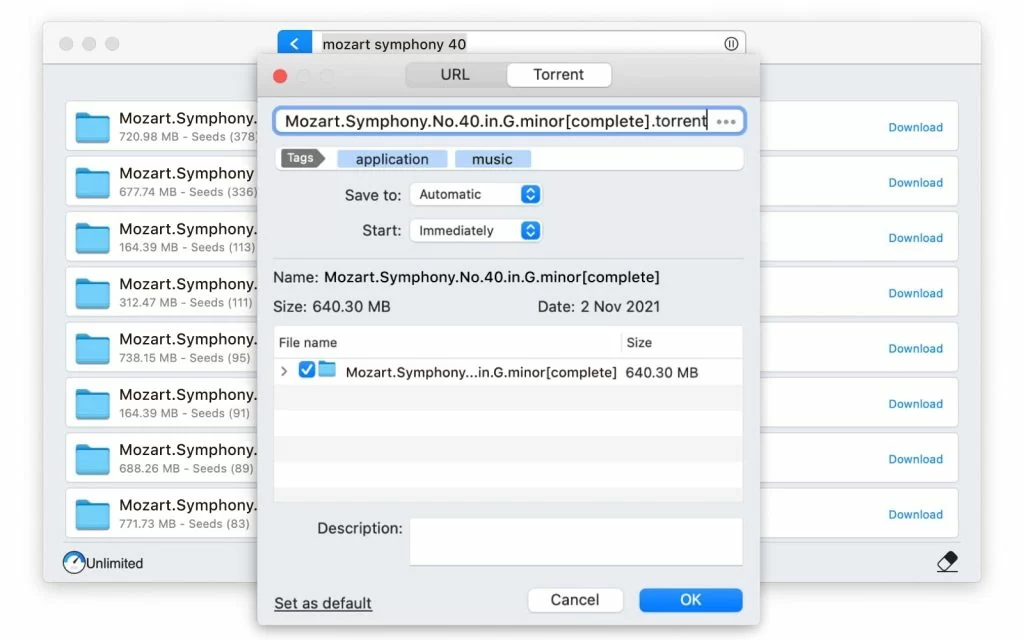
- Minimal dashboard layout with easy torrent management
- Beginner-friendly controls and simple navigation
- Lightweight background activity with minimal visual clutter
Open-Source & Privacy-Focused:
- Community-driven development and transparent updates
- Completely ad-free experience
- Privacy-focused architecture with cross-platform support
Advanced Bandwidth Controls:
- Upload/download speed limits and peer connection management
- Queue customization and scheduled bandwidth controls
- Network efficiency optimization for stable performance
Remote Access & Background Operation:
- Web-based remote management and background downloading
- Automatic file organization with multi-tasking compatibility
Pros and Cons:
Pros:
- Lightweight and fast with low CPU/memory usage
- Open-source, ad-free, and privacy-focused
- Easy for beginners and stable for long-term use
- Excellent cross-platform support
Cons:
- Interface may feel too minimal for advanced users
- Fewer advanced built-in tools than some competitors
- Some manual setup needed for advanced configurations
- Limited media playback tools and smaller plugin ecosystem
Step-by-Step Guide:
- Download and install Transmission on your OS.
- Launch the application to open the torrent dashboard.
- Add torrent files or magnet links to start downloads.
- Configure download locations, queues, bandwidth, and network settings.
- Monitor speeds, peer connections, and progress in the dashboard.
- Organize completed downloads into folders.
- Keep Transmission updated for security and stability.
Alternatives:
- qBittorrent: Feature-rich and advanced torrent management
- Deluge: Lightweight with plugin support and flexibility
- uTorrent: Popular lightweight torrent client
- BitTorrent: Established platform for torrent downloading
- FrostWire: Torrent client with integrated media management
Compatibility and Performance:
- Supports macOS, Windows, and Linux
- Requires stable internet, updated OS, and sufficient storage
- Optimized for low memory use and smooth background operation
- Performs well on modern and older systems
FAQs:
- What is Transmission? An open-source BitTorrent client for downloading torrents.
- Is it free? Yes, completely free and open-source.
- Does it support magnet links? Yes, fully supports magnet and torrent files.
- Is it lightweight? Yes, designed for low resource usage.
- Are there ads? No, Transmission is ad-free.
- Can it run in the background? Yes, supports background downloading.
- Is it available on macOS? Yes, along with Windows and Linux.
Conclusion:
Transmission is a reliable, lightweight, and privacy-focused torrent client ideal for users seeking a fast and distraction-free downloading experience. Its clean interface and efficient performance make it a top choice for macOS, Windows, and Linux users.