 Posted by
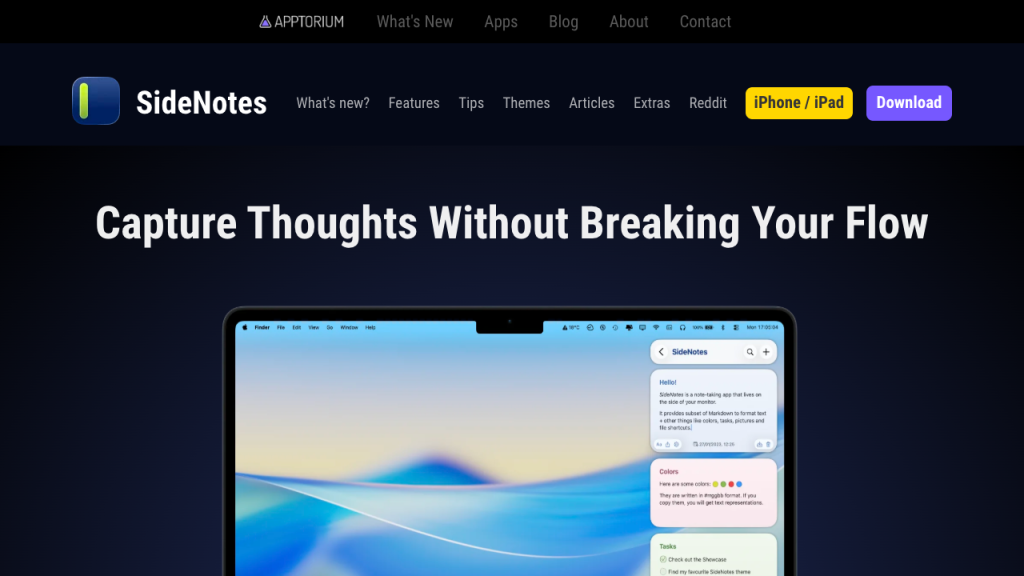
 SideNotes is a lightweight note-taking and productivity application built specifically for macOS users who want instant access to notes, reminders, and reference content without interrupting their workflow. The application appears as a hidden sidebar that can quickly slide into view whenever needed, making it ideal for multitasking and fast information management.
Main Features:
Instant Sidebar Access:
- Hidden slide-out sidebar for quick note retrieval
- Floating workspace with multi-monitor support
- Minimal interruption during multitasking
Smart Note Organization:
- Folder management and color-coded notes
- Search functionality and drag-and-drop organization
- Pin important notes and customize categories
Productivity & Workflow Tools:
- Task lists, daily reminders, and clipboard storage
- Research organization and code snippet management
- Quick references to improve efficiency
Native macOS Experience:
- Optimized for Apple Silicon and macOS interface
- Keyboard shortcut integration and dark mode support
- Smooth animations and lightweight performance
Flexible Customization:
- Adjustable sidebar size and placement
- Custom themes and shortcut configurations
- Personalized layouts to suit workflows
Pros and Cons:
Pros:
- Fast, convenient sidebar note access
- Lightweight with strong multitasking support
- Simple, clean interface with keyboard shortcuts
- Optimized for macOS productivity workflows
Cons:
- macOS only, no Windows or Linux support
- Limited collaboration and large document editing
- Basic advanced organization tools
- Limited mobile support
Step-by-Step Guide:
- Install SideNotes on your Mac.
- Activate and configure the hidden sidebar workspace.
- Create notes, to-do lists, reminders, and clipboards.
- Organize content using folders, color labels, search, and pinned notes.
- Customize sidebar size, shortcuts, themes, and placement.
- Access notes instantly during multitasking.
- Use SideNotes regularly to enhance productivity and workflow.
Alternatives:
- Apple Notes: Built-in note app with iCloud sync
- Notion: All-in-one workspace for notes and tasks
- Obsidian: Markdown-based note-taking and knowledge management
- Bear: Minimalist writing and organization for Apple devices
- Evernote: Comprehensive productivity and note platform
Compatibility and Performance:
- Supports macOS on Apple Silicon and Intel Macs
- Requires modern macOS and updated system software
- Fast sidebar activation and low memory use
- Smooth multitasking and responsive search
- Performs best in productivity-focused workflows
FAQs:
- What is SideNotes? A macOS sidebar note-taking app for quick access and organization.
- Can it stay hidden while working? Yes, it only appears when activated.
- Is it good for multitasking? Yes, designed for minimal workflow interruption.
- Does it support Apple Silicon? Yes, fully optimized.
- Are keyboard shortcuts supported? Yes, with customizable options.
- Is it available on Windows? No, macOS only.
Conclusion:
SideNotes offers a fast, accessible, and lightweight note-taking sidebar tailored for macOS users who want to streamline their productivity without interrupting their workflow.